Looking for a better alternative to 2short AI? You're not alone. While 2short AI is a popular tool for turning long videos into short clips, many creators quickly run into limitations—such as difficulty processing videos without pre-existing captions, limited support for local files, and restricted customization options.
When these limitations slow down your workflow, it's time for a smarter, more flexible way to turn long videos into Shorts. In this guide, we'll compare 2short AI vs FlexClip and show you how to turn any long video into engaging short clips—and create high-quality, scroll-stopping content in minutes.
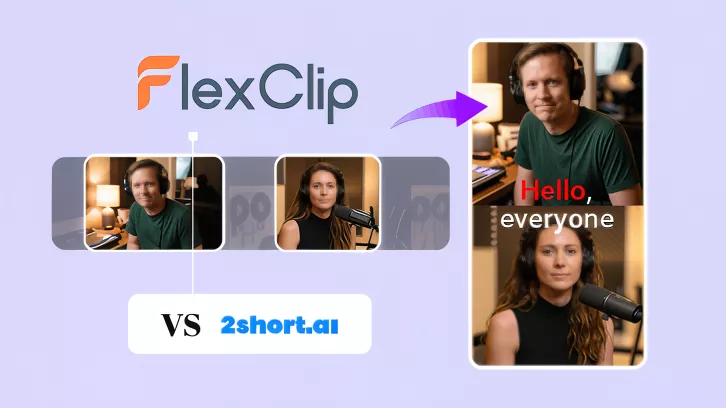
AI Short Clip Maker - 2Short AI vs FlexClip

Contents:
Editable Shorts Templates from FlexClip:

Convert Long Videos into Short Clips with AI Now →
View More Video Templates for Inspiration →
Can't-miss: Long Video to Short Video without Cutting Using a Free Online Video Shorter >
Part 1 What is 2short AI?
2short AI is an AI-powered long videos into shorts tool designed to help users extract the best moments of long-from videos, like podcasts, educational videos, commentary videos, product reviews, motivational speeches, etc., and turn them into short, engaging clips for platforms like YouTube Shorts, TikTok, and Instagram Reels.
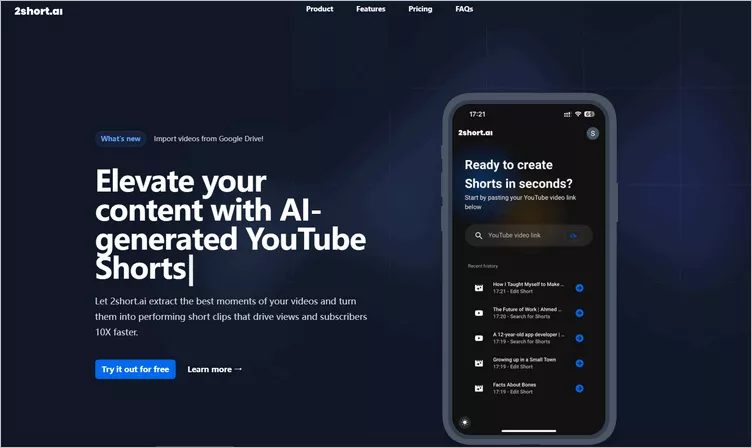
AI Short Clip Maker - 2short AI
With it, you can simply copy your video link from YouTube and paste it into the 2short tool. Its AI then quickly analyzes the content, identifies engaging moments, and generates short clips with auto-captions—all with minimal effort required. In this way, 2short AI has helped streamline and simplify the process of short clip creation.
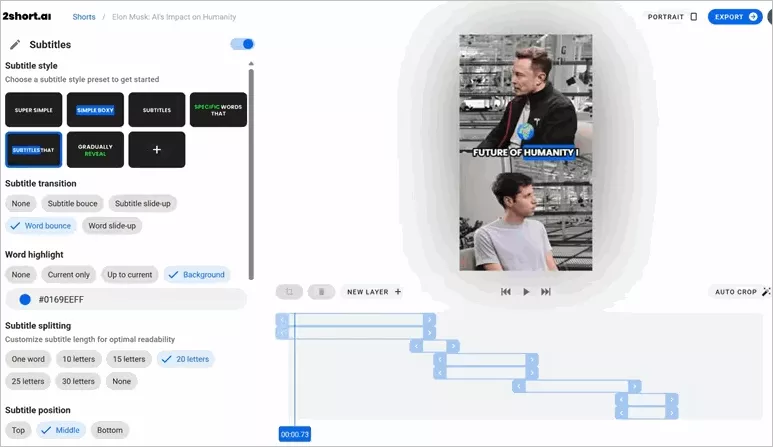
AI Short Clip Maker - 2short AI Generated Clip
Key Features of 2Short AI
Limitation
2short AI was an early leader in the market, however, algorithm changes in 2026 have exposed key technical weaknesses that now limit reach for professional creators. This raises an important question: is there a smarter tool that offers better long-to-short video conversion along with greater customization? Read on.
Part 2 The Ultimate 2short AI Alternative - FlexClip
While 2short AI is a solid option for turning long YouTube videos into short clips, its limitations become more noticeable as more advanced tools enter the market. Here we'd like to introduce FlexClip to you, an all-in-one video editor packed with powerful AI features.
Recently, FlexClip introduced its Long-to-Short tool, which automatically identifies the best moments from longer videos and converts them into engaging short clips—similar to 2short AI. The key difference, however, lies in what you can do next. FlexClip offers far greater flexibility, giving you more control over editing, customization, and overall creative output.
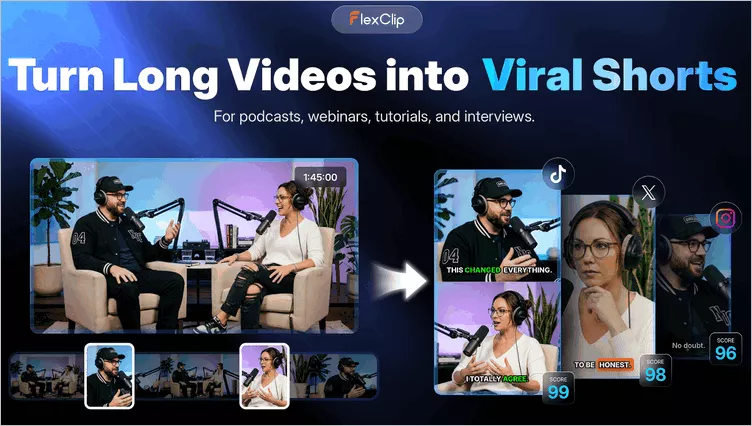
AI Short Clip Maker - FlexClip Long to Short Converter
Below is a full feature comparison of the two tools and why FlexClip stands out as a stronger choice for turning long-form videos into high-quality short clips.
2.1 2Short AI vs FlexClip: Full Feature Comparison
FlexClip is a more powerful and precise all-in-one video creation tool. With its long to shorts maker, you can easily take your video and turn it into engaging clips for YouTube Shorts, Instagram Reels, and TikTok. Below are the key differences between 2Short.ai and FlexClip.
| Category | FlexClip | 2Short AI |
|---|---|---|
| Import with YouTube Link | √ | √ |
| Local File Upload | √ | × |
| Import with Integration | Google Drive | × |
| Auto-detect Viral Clips with AI | √ | √ |
| Auto-reframe Videos & Focus on Speakers | √ | √ |
| AI Captions/Subtitles with Animation | √ | √ |
| Full Video Transcripts | √ | × |
| Select Clips from the Transcript | √ | × |
| Auto-Captions Language Support | 9 Languages | 26 Languages |
| Multiple Aspect Ratio | 9:16, 16:9, 1:1, 4:5, 3:4 | 9:16, 1:1, 16:9 |
| AI-Driven Virality Score | √ | × |
| Social Media Publishing | YouTube Shorts and LinkedIn | × |
| Pricing | Free plan, Subscriptions, and a one-time license | Free Starter plan; Paid plans start $9.90/mo. |
2.2 Why FlexClip is Better Than 2short AI
As you can see in the comparison, while 2short AI is handy for quick automated clips, FlexClip clearly offers more depth and flexibility to transform any long video into short clips. With advanced AI tools, richer effects, full customization, and more powerful features, FlexClip gives creators everything they need in one place.
Now, let's check the key features of FlexClip and see why it is better than 2short AI.
Part 3 How to Use FlexClip AI to Create Viral Clips
Now, it's time to test the cutting-edge tech yourself! Using FlexClip's Long to Shorts tool, follow these steps below to create a viral short in within minutes.
Step 1 Open FlexClip's Long to Shorts Maker
Click the Long to Shorts with AI button above to access FlexClip's Long to Shorts Maker, then upload the video file you'd like to process. Here, you can directly convert a YouTube video into short clips by pasting its link, upload a video form your local file or even import a video from your Google Drive.
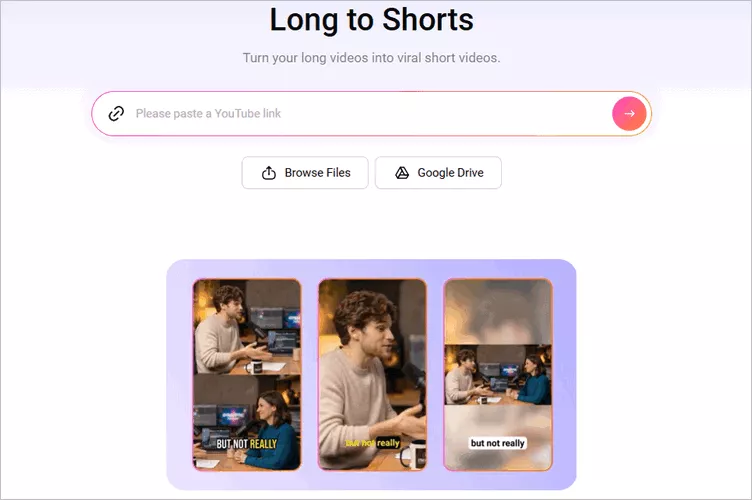
Convert Long Videos into Shorts with FlexClip AI - Access FlexClip's Long to Shorts Maker
Step 2 Adjust the Long to Short Video Setting
Once loaded, FlexClip will automatically take you to the setting page, where you can adjust the settings and guide the AI to convert the video as you wish. Select the language, video aspect ratio, clip type, subtitle style and more.
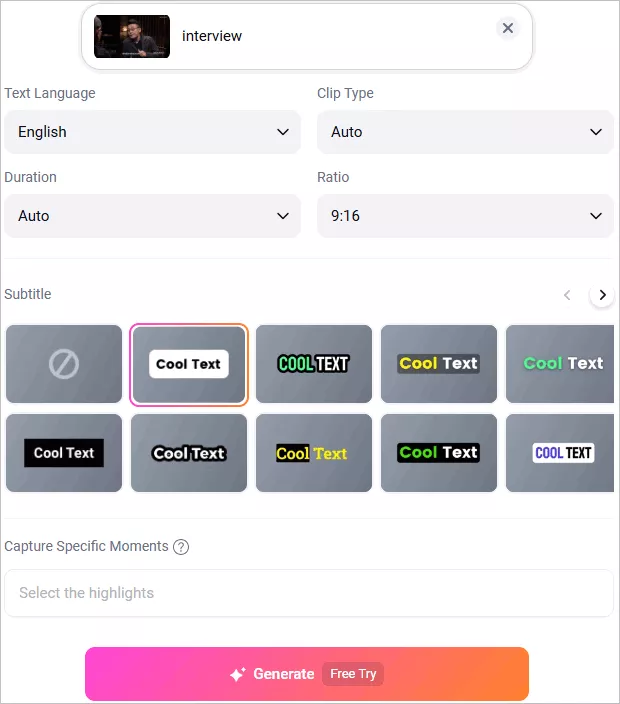
Convert Long Videos into Shorts with FlexClip AI - Adjust the Long to Short Video Setting
Step 3 Generate Viral Clips with One Click
Once selected, click the Generate button to start the conversion. FlexClip AI will analyze your video, reframe it, capture highlight moments, add auto subtitles, and turn your long video into multiple short clips.
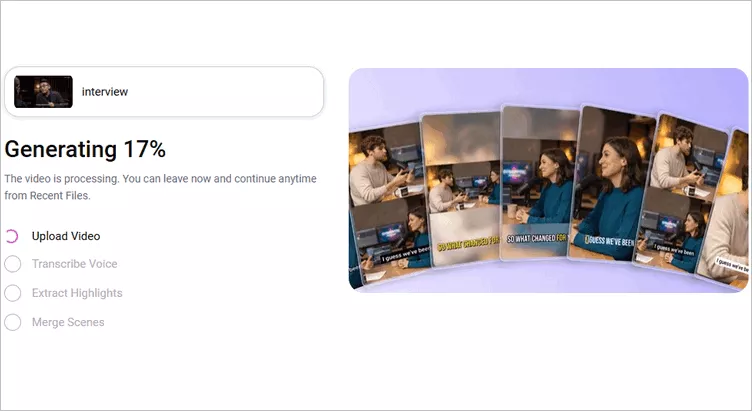
Convert Long Videos into Shorts with FlexClip AI - Generate Viral Clips with One Click
Step 4 Preview and Download the AI-Generated Clips
Once generated, you can preview all the short clips. If you're satisfied, choose the clips you like to download or share to social media platforms. Click the download button to save the clip to your device directly. To publish your clip on social media platform, connect your social media accounts first, then use AI to write captions and share your clips across multiple platforms effortlessly.
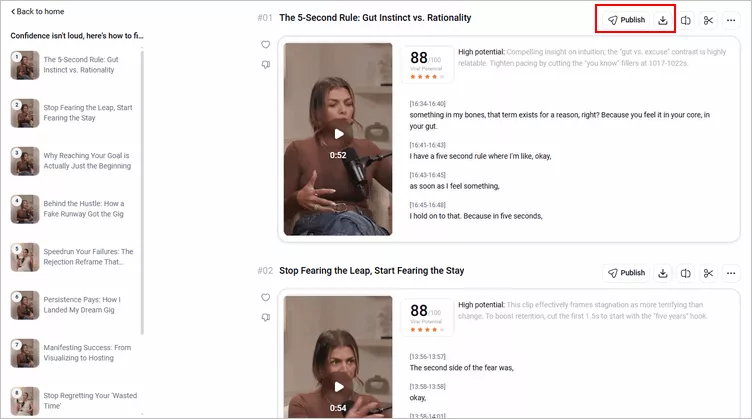
Convert Long Videos into Shorts with FlexClip AI - Download Clip
If not, you can click the trim button to access the full video transcript and select any portion from the transcript text to pick the clips that showcase the most impactful moments of your content and generate a new clip. Try to crop the whole video in one project not separate clips? Just select the full transcript and ask AI to crop the full video in one project instead of trimming into separate short clips.
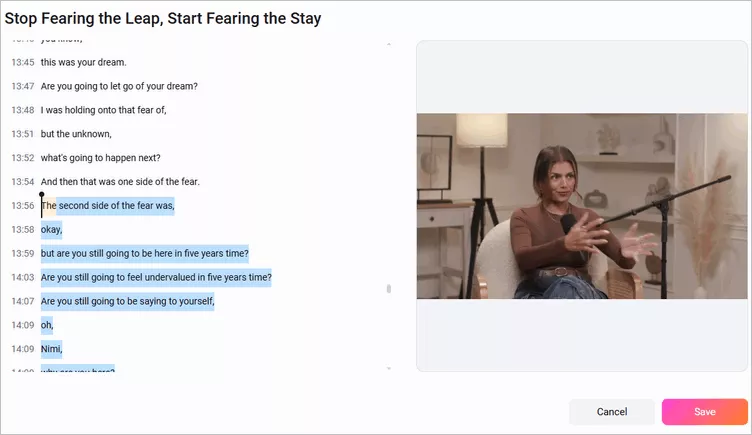
Convert Long Videos into Shorts with FlexClip AI - Select and Trim Clip
Need more precise edits to prefect your video, FlexClip offers a built-in editor for you to manually edit your video flexibly. Just click the Open in Editor button and take your video clips into the editor and make edits freely.
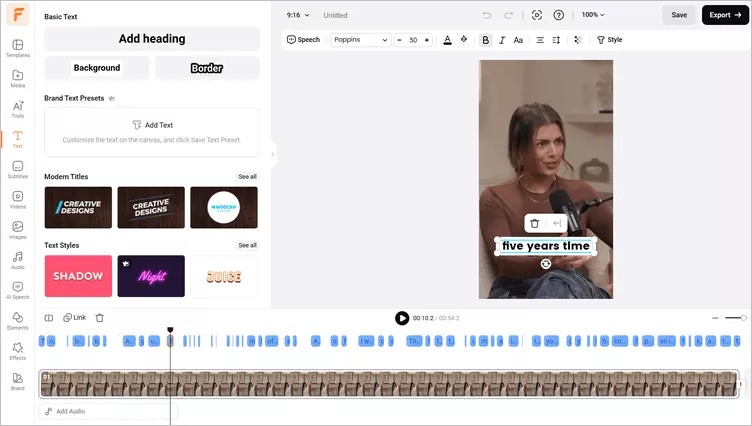
Convert Long Videos into Shorts with FlexClip AI - Edit Video
Pro Tip: At FlexClip, you can try its powerful features and stunning effect to make more edits and perfect your video. You can add text, transitions, overlays, filters, as well as plenty of animated elements, like subscribe buttons, emoji stickers, speech bubbles, etc., to enhance your video. Have no ideas on how to edit your video? Just check out FlexClip's professionally designed templates for some inspiration.





Final Words
That's it! 2short AI can save time by turning long videos into short highlights with little effort. While it does the job for simple clips, the drawbacks hold it back and make alternatives more appealing. If you are looking for an alternative that addresses this limitation, FlexClip is a solid option to consider. Now pick your tool and start creation today! Happy editing!




FlexClip AI Video Maker
Reach professional-quality videos faster with easy editing tools, templates, and smart AI.
Start Now for Free
Hot & Trending
-

7 Best Ways to Find Music in YouTube Videos
-

Instagram Story Video Quality Bad After Upload? Fix It!
-

How to Repost Video on TikTok & How to Remove TikTok Repost
-

Improve Video Quality Online: 3 AI Video Quality Enhancers You Can't Miss
-

4K Convert to HD 1080p without Watermark: Best 4k Video Converters
-

Top 13 Birthday Video Makers with Music and Effects Free
-

How to Search Filters on TikTok & Use a Filter You See - TikTok Filter Guide
-

Large Collection of Creative and Funny Birthday Video Ideas for Ones You Care